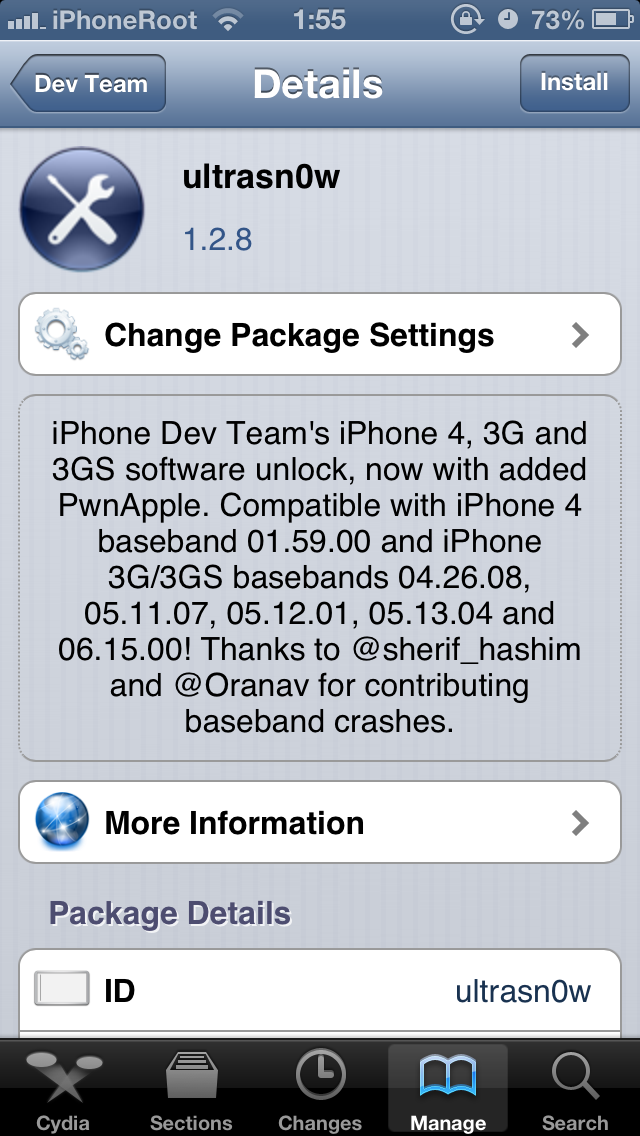
The iPhone Dev-Team has released UltraSn0w 1.2.8 to bring unlock support for some older basebands on iOS 6.1.
MuscleNerd commented in twitter:
Version 1.2.8 is compatible with 6.1 main firmware
The iPhone Dev-Team has released UltraSn0w 1.2.8 to bring unlock support for some older basebands on iOS 6.1.
MuscleNerd commented in twitter:
Version 1.2.8 is compatible with 6.1 main firmware

DevTeam released much anticipated untethered jailbreak for the latest iOS 4.3.1 – RedSn0w 0.9.6 rc9 and PwngeTool 4.3.
The 4.3.1 untether works on all Apple devices that support 4.3.1 except for the iPad2:
Redsnow is easy to use, it is available for Windows and Mac OS. Pwnagetool can be used to create custom ipsw and preserve baseband, it supports Mac OS only.
You can download RedSn0w 0.9.6 rc9 here and PwnageTool 4.3 here.
Here are our tutorials:
Ultrasn0w doesn’t work on iOS 4.3.1 yet (even with iOS 4.3.1 + old baseband). The fix will be available soon. Here’s a warning from DevTeam for unlockers:

Having problems activating your iPhone? Don’t have original SIM-card? Cannot get passed emergency unlock screen? We have a solution:
If you have iPhone 3G, just use redsn0w to jailbreak and hactivate. If you have iPhone 3GS or iPhone 4 follow these instructions:
If you are already Jailbroken:
So you have an iPhone with iOS 4.0, but don’t have the original SIM and stuck on the Emergency Call Screen:
If you are not jailbroken:
Sherif Hashim discovered that you can activate your iPhone 4, iPhone 3GS or even iPhone 3G without the original carrier SIM card. You need a “phonebook sim card” or 02 simcard. You can buy these type of sim at radioshack, bestbuy or other mobile electronics store (for example ).
Once you get passed the Emergency Call screen, connect to Wifi, jailbreak using and unlock using ultrasn0w. Once that is complete you should be passed activation and unlocked (able to use any sim). If you get a different simcard error, do the following final step:
If you have itunes invalid response problem:
If you bought your iPhone 4 on ebay you will need the official sim (at&t) or a universal sim, like ones you can grab at bestbuy for $10 this will get you passed Emergency Screen.

Good news from DevTeam. They just announced via twitter that unlock for firmwares 3.1.3 and 4.0 is ready:
RT @MuscleNerd: ultrasn0w tips: 1) Works for all basebands since 3.0 FW 2) Remember to disable 3G on T-Mobile USA
ultrasn0w 0.93 released! Cydia repo is repo666.ultrasn0w.com. Works with basebands 04.26.08 thru 05.13.04
This means, that all users with basebands 04.26.08, 05.11.07, 05.12.01 and 05.13.04 can use ultrasn0w 0.93.
There is no jailbreak for just released iOS4, so you need to wait a bit. Firmware 3.1.3 who need unlock can update ultrasn0w and use their iPhones with any carrier.

MuscleNerd, the member of Dev-Team, created a nice post on twitter saying that ultrasn0w, the program that lets you unlock the iPhone 3G/3GS, functions just great with firmware 3.1.2. However you need to preserve baseband 04.26.08.
So the Dev-Team is working on new version of PwnageTool. Here is a screenshot that shows the new firmware and the old baseband:
